RESISTOR: The Colour Code, Both Ways
RESISTOR
- Type
- Utility
- Language
- Commodore BASIC V2
- Length
- 112 lines · 20 blocks (4,829 bytes)
- Keys
- 1 or 2 on the menu; digits and G, S, N for the colours; Q quits
- Special keys
- None
Every resistor carries its value in coloured bands. RESISTOR reads them both ways: press the colours and it tells you the value, with the range the tolerance allows; type a value like 4.7k and it tells you the colours. Either way it draws the resistor on the screen and paints each band as you go, in the C64’s own colours.
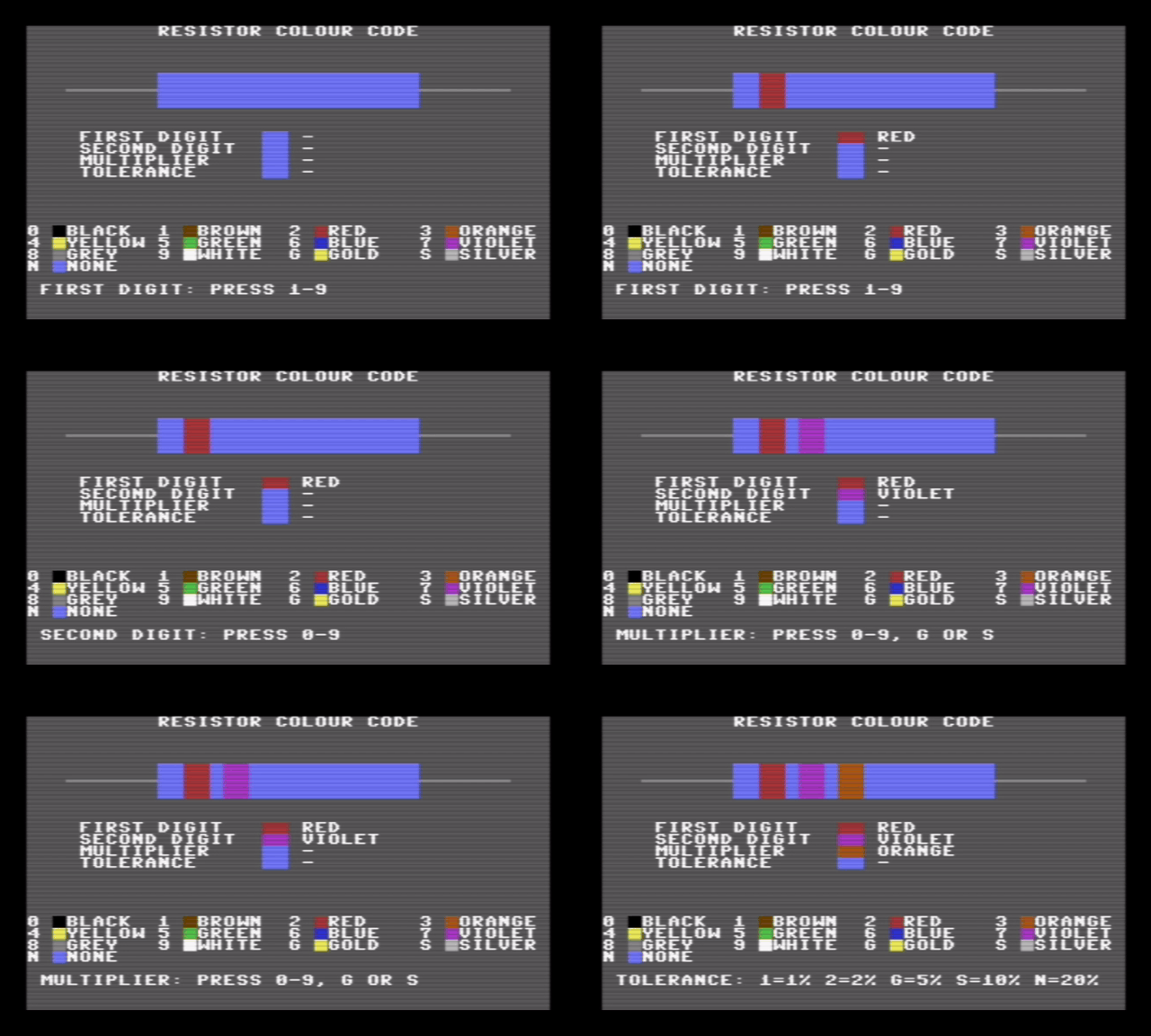 |
| Red, violet, orange, gold: each band is painted as soon as its key is pressed. |
The code in the bands
A four-band resistor is read from the end where the bands are closer together. The first two bands are digits, the third is how many zeros follow them, and the fourth, a little apart from the others, is the tolerance: how far the real resistor may be from the value printed on it.
| Colour | Digit | Multiplier | Tolerance | On the C64 |
|---|---|---|---|---|
| Black | 0 | ×1 | black | |
| Brown | 1 | ×10 | 1% | brown |
| Red | 2 | ×100 | 2% | red |
| Orange | 3 | ×1,000 | orange | |
| Yellow | 4 | ×10,000 | yellow | |
| Green | 5 | ×100,000 | 0.5% | green |
| Blue | 6 | ×1,000,000 | 0.25% | blue |
| Violet | 7 | ×10,000,000 | 0.1% | purple |
| Grey | 8 | ×100,000,000 | 0.05% | grey |
| White | 9 | ×1,000,000,000 | white | |
| Gold | ×0.1 | 5% | yellow | |
| Silver | ×0.01 | 10% | light grey | |
| None | 20% | no band |
So red, violet, orange, gold is 2, 7 and three zeros: 27,000 ohms, or 27k, give or take 5%. The program offers the five most common tolerances: brown, red, gold, silver and none.
The C64 has sixteen colours and no gold, so a gold band is drawn yellow; the name next to it tells the two apart. Violet is the C64’s purple, and the body of the resistor is light blue, like most metal-film resistors.
The names are printed in white, each after a small block of its colour. The first version printed each name in its own colour, and on the dark grey screen red, blue and brown words were hard to read; a coloured block and a white word work for every colour, black included.
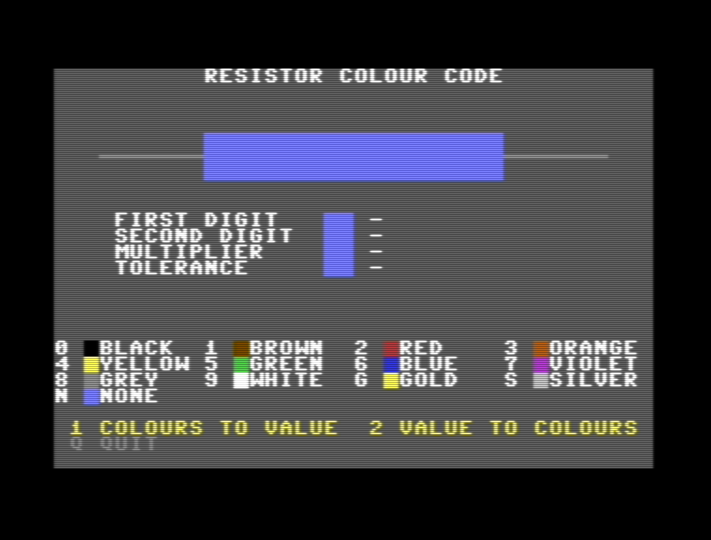 |
| The menu, with the key for every colour. |
The listing
Type every letter without SHIFT. As in the other recent listings, most lines end with a remark after :REM. The C64 ignores them, so you can leave them out to save typing.
The DATA lines at 170–188 must be typed exactly: thirteen colours with three values each, sixteen colour codes, and four band positions with their names. A missing comma there gives ?OUT OF DATA ERROR IN 150 or a wrong colour.
How it works
| Lines | Block |
|---|---|
| 100–195 | Setup: colours, control codes, the colour table |
| 200–270 | Menu |
| 300–360 | Colours to value |
| 380–388 | A message, then back to the menu |
| 400–480 | Value to colours |
| 500–530 | Subroutine: a new screen with the plain resistor and the colour keys |
| 560–590 | Subroutine: ask for one band and paint it |
| 600–690 | Subroutines: draw the resistor, list the bands in words, paint one band |
| 700–745 | Subroutine: wait for one of the allowed keys |
| 760–768 | Subroutine: the value of the bands |
| 780–825 | Subroutines: show the value and its range; a value as text |
| 870–890 | Subroutine: read a value from the keyboard |
| 900–910 | Quit |
Lines 140–188: one table for everything
Every colour has a number, 0 to 13: the ten digit colours, then gold, silver, “none” and a dash for a band not chosen yet. For each one the DATA gives three things: its name N$(), the C64 colour that shows it C(), and its tolerance T() where it has one. A second table, K$(), holds the sixteen PRINT codes that switch the text colour, from CHR$(144) for black to CHR$(155) for light grey. So K$(C(V)) is the code that paints colour V, whatever it is. Both modes use the same table, which is why they always agree.
Lines 600–690: drawing the resistor
The leads are seven CHR$(192), the horizontal line graphic, on each side. The body is three rows of twenty reversed spaces in light blue, and a band is three rows of two reversed spaces in its own colour, printed over the body at column 12, 15, 18 or 25. A reversed space is a solid block in the current text colour, so changing the colour code is all it takes to paint a band.
Lines 700–745: only the keys that make sense
Each question passes the keys it accepts in OK$: 1–9 for the first digit (a resistor never starts with black), 0–9 for the second, 0–9, G or S for the multiplier, and 1, 2, G, S or N for the tolerance. Any other key is ignored, so a wrong band cannot be entered.
Lines 760–768: the value
The multiplier is built by multiplying 1 by ten, once for each step: three times for orange. Two details matter here. BASIC’s ^ works with logarithms, and it is not exact: 10^2 prints as 100 but is really 100.0000000298, so PRINT 10^2=100 answers 0, false. Repeated multiplication stays exact for whole numbers. And FOR I=1 TO 0 still runs once in Commodore BASIC, so the loop is only started when there is something to multiply.
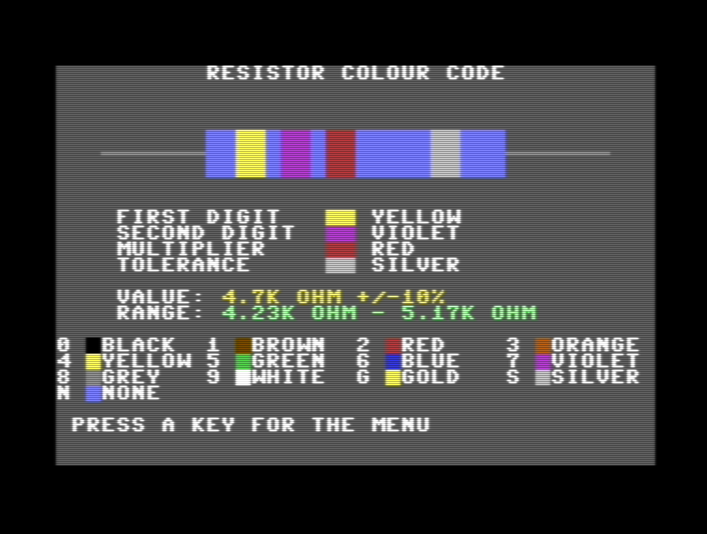 |
| 4.7k typed in: yellow, violet, red, and a silver band for 10%. |
Lines 435–465: value to colours
Going the other way, the program divides the value by ten until it is below 100, or multiplies it until it is at least 10, counting the steps in M. 4700 becomes 47 after two divisions: yellow, violet, and red for two zeros. 0.47 needs two multiplications, so M is −2 and the multiplier is silver. If the value has more than two significant digits, like 4750, it is rounded to 48 and the program says so. Anything below 0.1 ohm or above 99 gigaohm cannot be written with four bands.
Lines 800–825: readable numbers
27000 is shown as 27K and 2200000 as 2.2M, rounded to two decimals, or three below 1 ohm so that a 0.1-ohm resistor’s range does not round to 0.1 – 0.1. STR$ writes 0.47 as .47, so line 822 puts the zero back in front.
Lines 870–890: typing a value
The same idea as the input routine in CLOCK, with GET instead of INPUT: digits, a decimal point and the letters K, M and G are accepted, INST/DEL takes one back, and RETURN ends it. Line 884 uses a comparison as a number: in BASIC a true comparison is −1 and a false one 0, so W is true for a digit or a point.
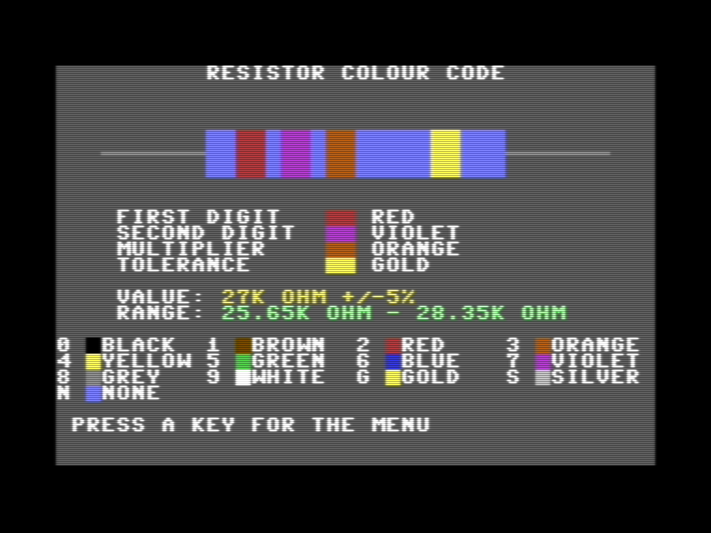 |
| Red, violet, orange, gold: 27K ±5%, and the range it allows. |
Values to try
| Bands | Value | Range |
|---|---|---|
| red violet orange gold | 27K ±5% | 25.65K – 28.35K |
| yellow violet red brown | 4.7K ±1% | 4.65K – 4.75K |
| red red red red | 2.2K ±2% | 2.16K – 2.24K |
| brown black black silver | 10 ±10% | 9 – 11 |
| yellow violet gold gold | 4.7 ±5% | 4.47 – 4.94 |
| brown black green none | 1M ±20% | 800K – 1.2M |
Try this
- All tolerances: add
5,6,7and8toOK$in line 590 and fill in their tolerances in lines 175 (0.5, 0.25, 0.1, 0.05). Then find room for the longer prompt. - Five bands: precision resistors have three digits before the multiplier. Add a band at column 21 and a third digit.
- The E12 series: real resistors come in fixed steps: 10, 12, 15, 18, 22, 27, 33, 39, 47, 56, 68, 82. Make the value-to-colours mode suggest the nearest one.
Run it
Press ↓ .PRG on the listing and drop the file on a VICE window. Source and program are also on GitHub.
Both ways, in VICE:
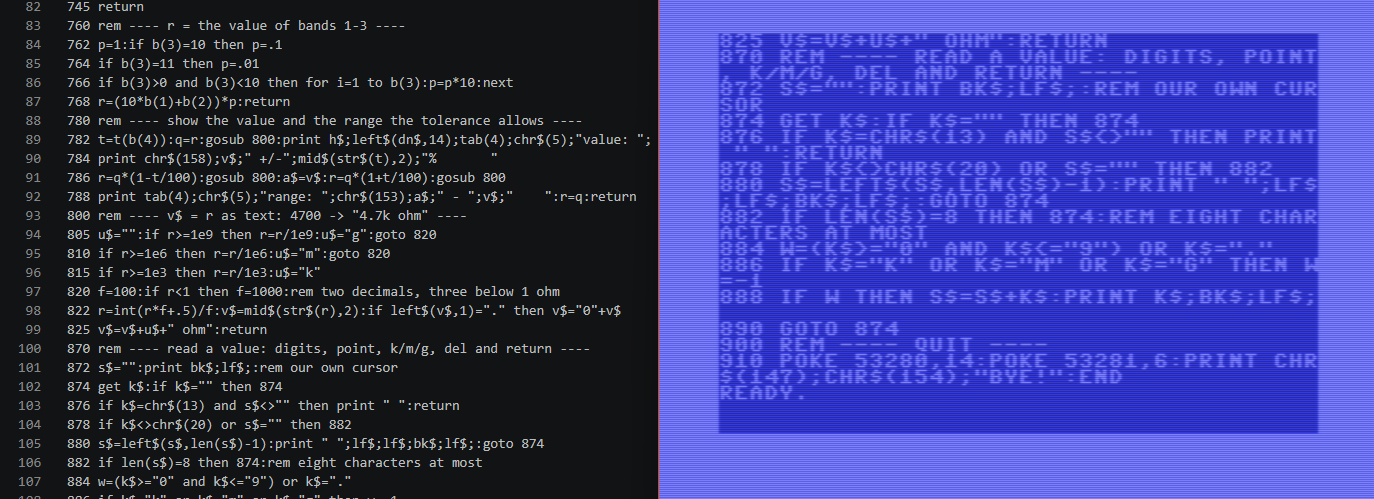 |
| In the lab: RESISTOR.bas in VS Code, and the same lines listed on the C64. |
Comments
Post a Comment